

Agents
Browse the agent catalog — specialized AI workers you can start a session with in one click
Agents are specialized AI workers: each one bundles a system prompt, a model, tools, skills, and integrations into a ready-to-use profile. The Agents page (bot icon in the left rail) is the catalog — public agents anyone can use, plus the private and team-shared ones you have access to.
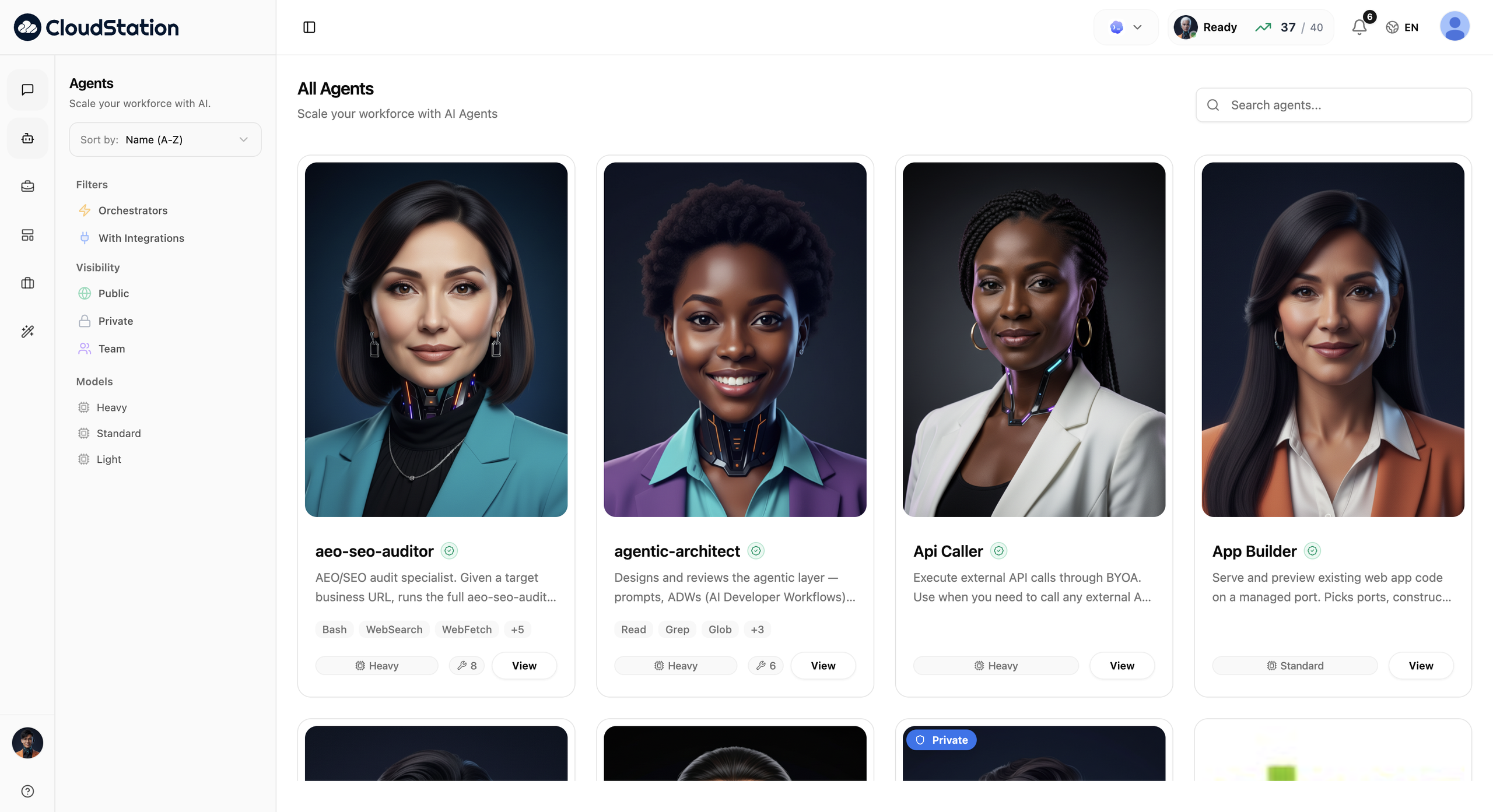
The catalog
Every agent appears as a profile card:
- Name and description — what the agent is for.
- Tool badges — the first few tools it uses, with a
+Nfor the rest, and a tool-count badge. - Model badge — the tier or model it runs on.
- Orchestrator badge — agents that can coordinate other agents.
- Private badge — agents only you can see.
- View — opens the agent's detail page.
Owners also get hover actions to Edit and Delete their own agents.
Searching and filtering
The left sidebar controls the catalog:
- Sort by — Name (A-Z), Name (Z-A), Newest First, Oldest First.
- Filters — Orchestrators and With Integrations toggles.
- Visibility — Public, Private, and Team (pick a team to see what's shared with it).
- Models — filter by tier (Heavy, Standard, Light) or specific model.
Where agents come from
You rarely need to build one yourself:
- The public catalog — ready-made specialists maintained in the registry.
- Charlie hires them for you — in a conversation, Charlie discovers, hires, and delegates to agents on its own; you see it happen as delegation cards. Agents Charlie creates for you appear in your catalog afterwards.
- Your own — edit any agent you own, or ask Charlie to create one to your spec. See Creating & editing agents.
Agents and App Templates are different things: agents are AI workers; App Templates (the other rail icon) are one-click deployable apps and databases — see Templates.