

Hired Agents
Agents that talk to your customers on their own — and how you stay in control
A hired agent doesn't just work for you in a thread — it can work for your customers, replying on its own across the channels you connect: WhatsApp, Telegram, your website, or your app. The Hired page (briefcase icon in the left rail) is where you watch that happen.
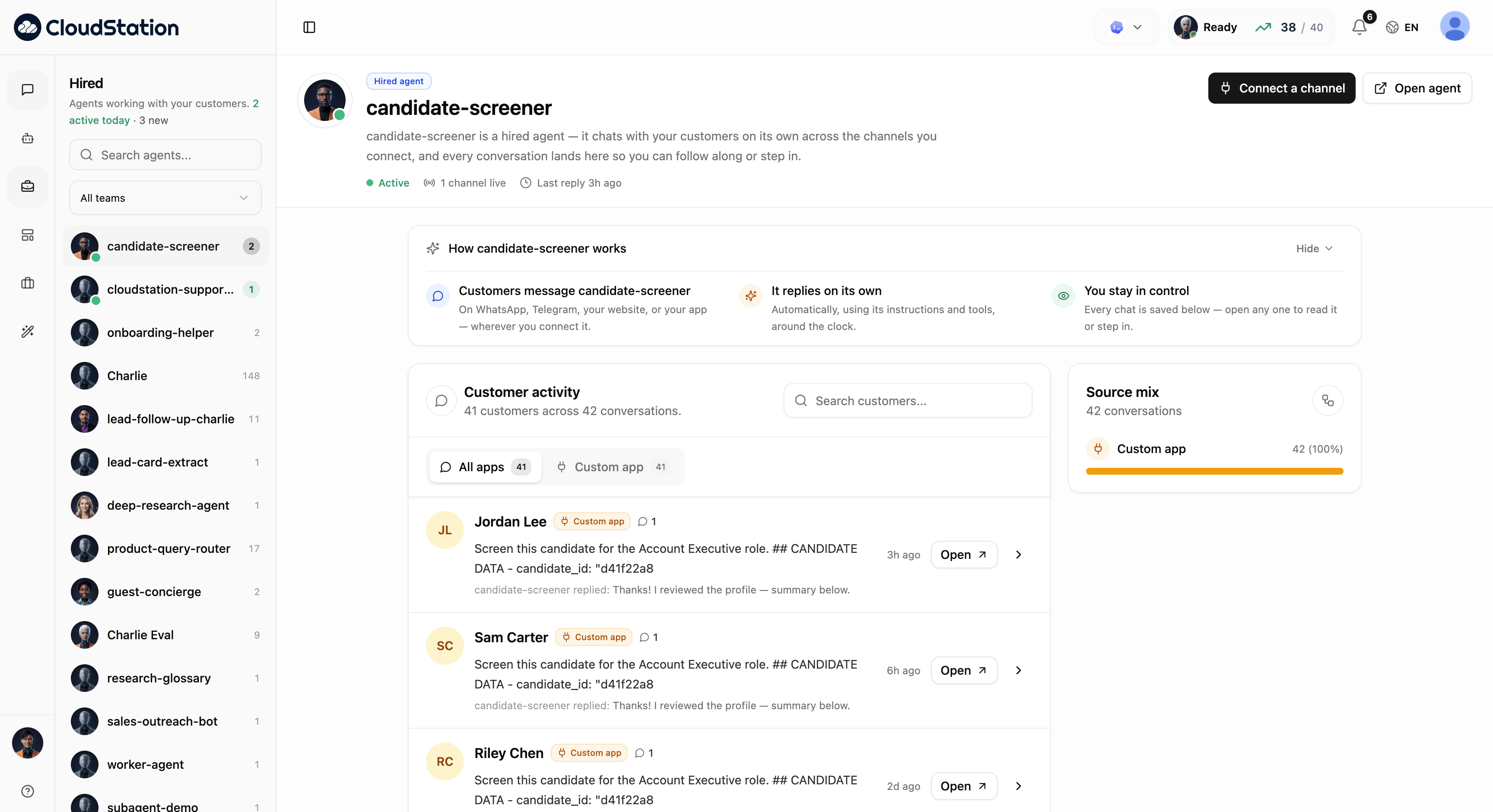
The Hired page
The sidebar lists every agent that has customer-facing activity, with unread counts and a team filter. Selecting one opens its dashboard:
- Header — the agent's status (Active), how many channels are live, and when it last replied. Connect a channel wires it to a new channel; Open agent jumps to its detail page.
- How it works — the model in three steps: customers message the agent wherever you connected it; it replies on its own, using its instructions and tools, around the clock; and every chat is saved below so you can read it or step in.
- Customer activity — every customer conversation, searchable, filterable by source app. Each row shows the customer, the latest exchange, and Open to read the full thread — or take over.
- Source mix — which channels the conversations come from.
"You stay in control" is literal: any customer conversation can be opened and joined by you at any moment — the agent's replies and yours live in the same thread.
Connecting channels
Connect a channel links the agent to where your customers are. Channel setup is done through your integrations — see Integrations for WhatsApp (Evolution), Telegram, and the embeddable Chat Widget for your website.
Who's allowed to reach your agents is governed by Messaging Access in Settings — identity linking, sender approvals, and per-project allowlists.
Related pages
- Using an agent — the detail page and Activity tab
- Chat Widget — put an agent on your website
- Integrations — connecting messaging channels