

Workspace Settings
Manage your workspace configuration and team members.
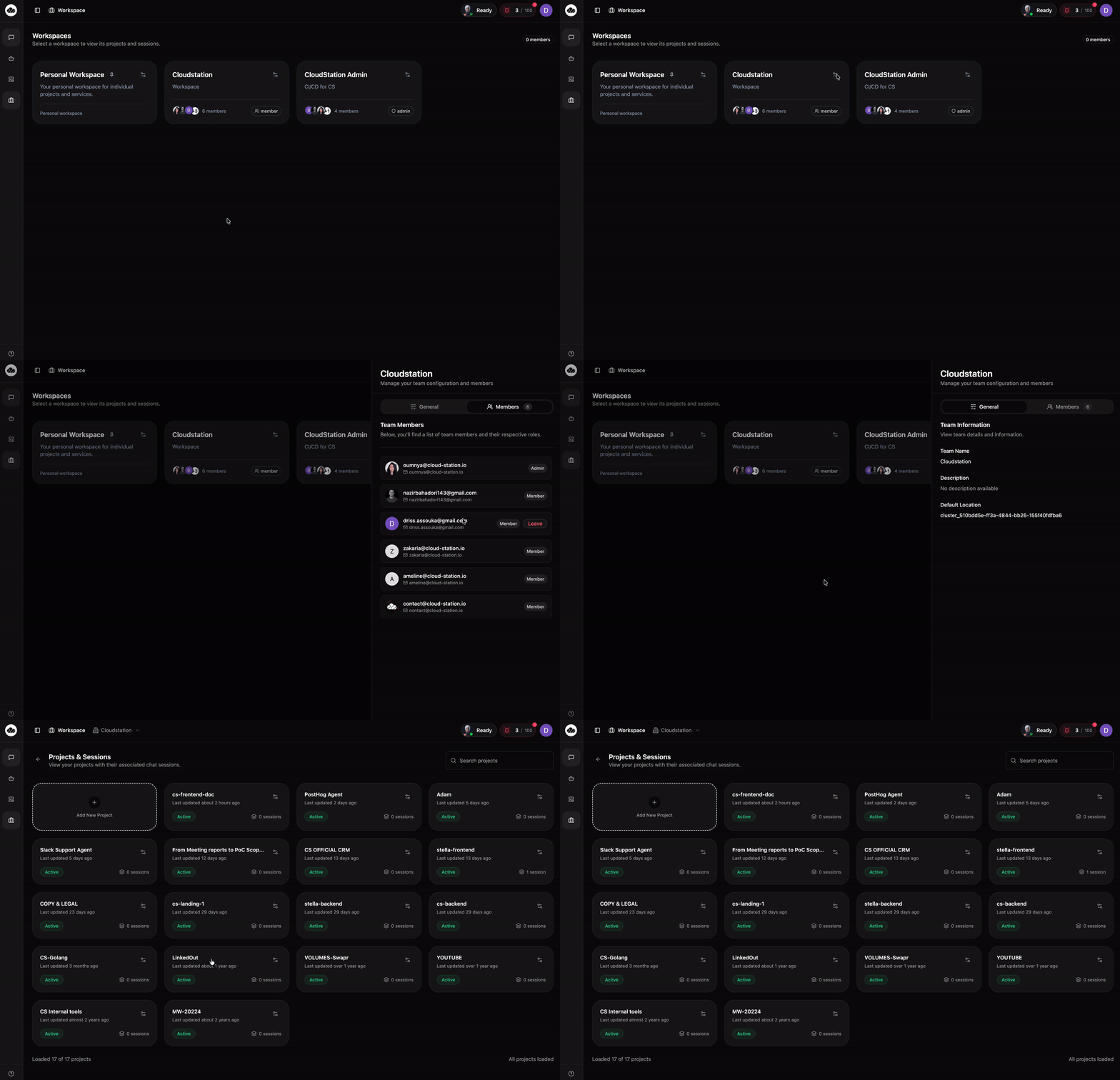
Workspace settings open as a side panel when you click the settings icon on a workspace card. The panel has two tabs: General and Members.
Only Admin users can edit workspace settings. Members can view them.
General Tab
The General tab shows your workspace's basic information under "Team Information."
The display name for your workspace. This appears on the workspace card and in the top navigation when you're inside the workspace.
An optional field describing what the workspace is for. Shows on the workspace card below the name.
The cluster location where your workspace's services run. This is set during workspace creation.
The Default Location field only appears in Enterprise mode when clusters are available.
Non-admin members see a read-only version of the General tab. They can view the Team Name, Description, and Default Location (if set) but cannot edit them.
Members Tab
The Members tab shows all team members with their roles. Each member entry displays:
- Avatar and email - the member's profile picture and email address
- Role badge - either "Admin" or "Member"
- Leave button - appears on your own row so you can leave the workspace
Roles
CloudStation has two roles:
- Admin - full access to workspace settings, team management, and all projects
- Member - can access projects and sessions but cannot modify workspace settings
Inviting Members
Admins can invite new members directly from the Members tab. Enter their email address and choose a role.
Removing Members
Admins can remove members from the workspace. Removed members lose access to all projects and sessions immediately.
Danger Zone
This section is only visible to workspace admins.
At the bottom of the General tab, admins will see a Danger Zone section with a Delete Team button. Deleting a workspace is permanent and cannot be undone.
When you click the delete button, a confirmation dialog appears asking: "Are you sure you want to delete [team name]? This action cannot be undone."
Deleting a workspace removes:
- All projects within the workspace
- All sessions and their data
- All member access
What's Next
- Team Management - More details on managing your team
- Projects - Organize your work within the workspace
- Instances - Deploy and manage your services