

Sessions
Chat Sessions are your AI conversations within a Project.
Sessions are your AI chat conversations in CloudStation. Each Session is a separate conversation thread where you interact with the AI assistant to ask questions, get help with code, deploy applications, and more.
What is a Session?
A Session is a single conversation thread with the AI assistant:
- Persistent - Your conversation is saved and you can return to it anytime
- Context Aware - The AI remembers previous messages within the Session
- Project Scoped - Each Session belongs to a specific Project
In the AI context, Sessions are how you interact with a Project — either through the chat UI or programmatically via the API.
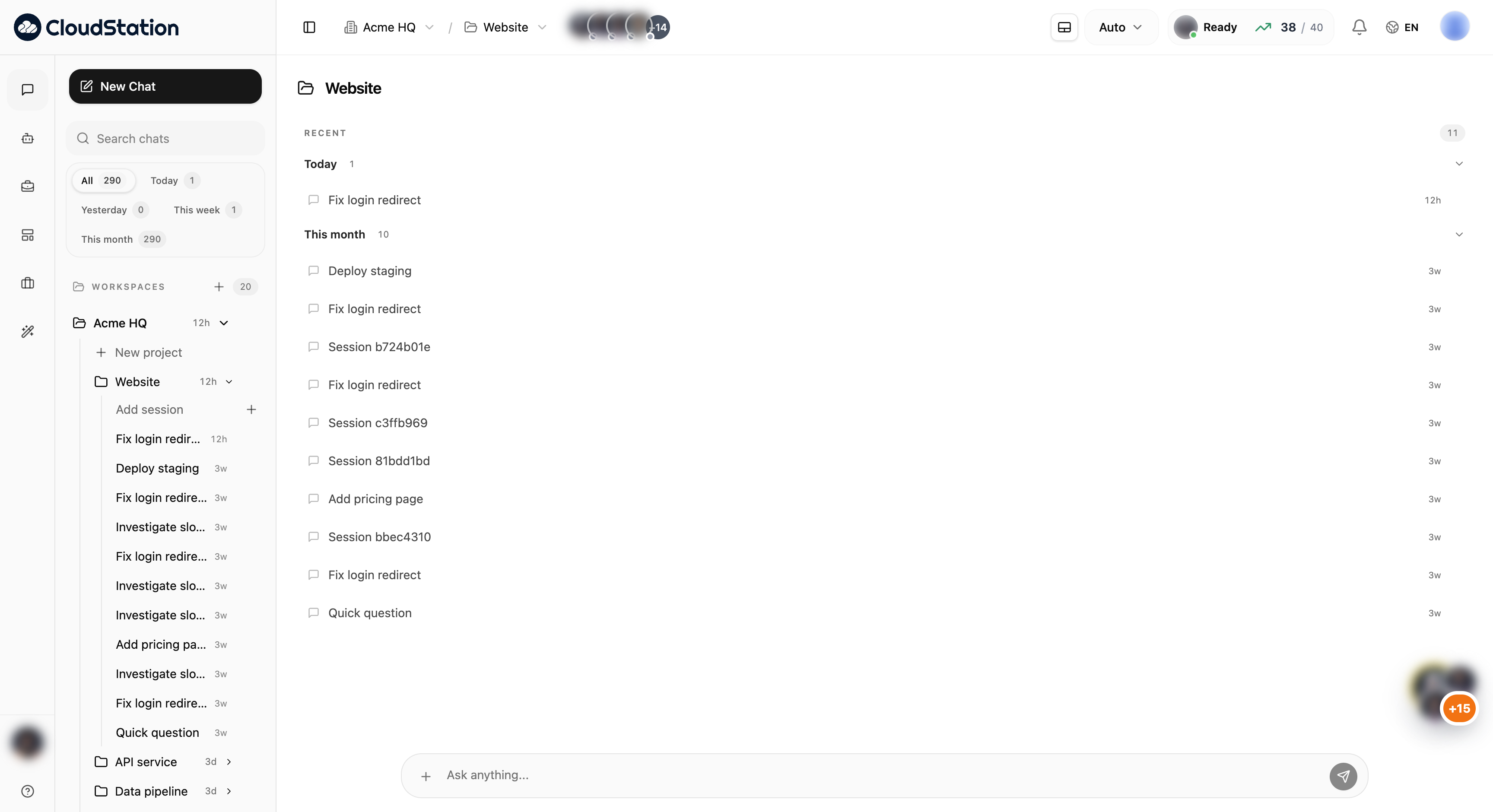
Accessing Sessions
Sessions are accessed from the sidebar, where they are grouped by Project. Each project card on the Projects & Sessions page also shows a session count badge (e.g., "0 sessions", "1 session").
Starting a New Session
Select Your Project
Make sure you're in the Project where you want to create the Session.
Create a New Session
Click the New Session button in the sidebar.
Start Chatting
The Session opens immediately. Type your first message to begin.
No setup is needed. Just start chatting and the AI will respond.
Continuing a Conversation
To return to an existing Session:
- Find the Session in your sidebar
- Click to open it
- Type a new message to continue
The AI remembers the full conversation context, so you can pick up where you left off.
Session Context
Each Session maintains its own context:
- Conversation History - All messages exchanged in the Session
- Project Files - Access to files in the Project directory
- Deployed Services - Awareness of infrastructure created during the Session
Create a new Session for each distinct task or topic. This keeps conversations focused and makes it easier to find specific discussions later.
When to Create New vs Continue Existing
Create a new Session when:
- Starting a completely different task
- You want a fresh context without previous conversation history
Continue an existing Session when:
- Building on previous work
- You need context from earlier in the conversation
- Making related changes to the same feature
Next Steps
- Configure Project Settings
- Connect GitHub for Git-based deployments
- Connect API integrations