

Evolution API
Open-Source WhatsApp Business Integration
Evolution API
Send WhatsApp messages to your customers without paying per-message fees. Evolution API lets your business handle customer support, send order notifications, and run marketing campaigns on WhatsApp - all without the expensive official provider costs.
Overview
| Property | Value |
|---|---|
| Category | Communication & Collaboration |
| Deployments | 9,646 |
| Tech Stack | Node.js/TypeScript, PostgreSQL, Docker |
| Tags | AI & Automation, WhatsApp, Business API |
Features
- No per-message fees - Unlike official WhatsApp Business API providers, send unlimited messages
- Connect multiple accounts - Manage several WhatsApp numbers from one platform
- AI chatbot ready - Integrate with ChatGPT, Dify AI, or Typebot for smart automated responses
- Send rich media - Share images, videos, documents, and voice messages with customers
- Customer service tools - Works with Chatwoot for professional support ticket management
- Easy integration - Connect to your existing systems with simple REST API
- Your data, your server - Self-hosted option means complete control over customer conversations
- Works immediately - Deploy in under 60 seconds and start sending messages
Use Cases
- E-commerce stores - Send order confirmations, shipping updates, and delivery notifications automatically
- Customer support teams - Handle WhatsApp inquiries with ticket management and team collaboration
- Service businesses - Send appointment reminders, confirmations, and follow-up messages
- Marketing teams - Run WhatsApp campaigns and broadcast messages to customer segments
- Sales teams - Qualify leads and nurture prospects through automated chatbot conversations
- Any business - Connect your CRM, support system, or custom app to WhatsApp without API fees
Quick Deploy
Deploy this template with one click on CloudStation:
https://app.cloud-station.io/template-store/evolution-api?deploy=trueThis deploys three services automatically:
- Evolution-Api — The main WhatsApp API service
- Redis — Cache and session storage
- Postgres — Database for persistent data
Auto-Setup (WhatsApp Connection)
Evolution API includes an Auto-Setup feature exclusive to this template — unlike other templates, it automatically configures your WhatsApp connection right from the CloudStation dashboard.
Wait for Services to Start
After deploying, your three services (Evolution-Api, Redis, Postgres) will transition from PENDING → STARTING → RUNNING. Wait for all services to be running.
Open the Evolution-Api Instance
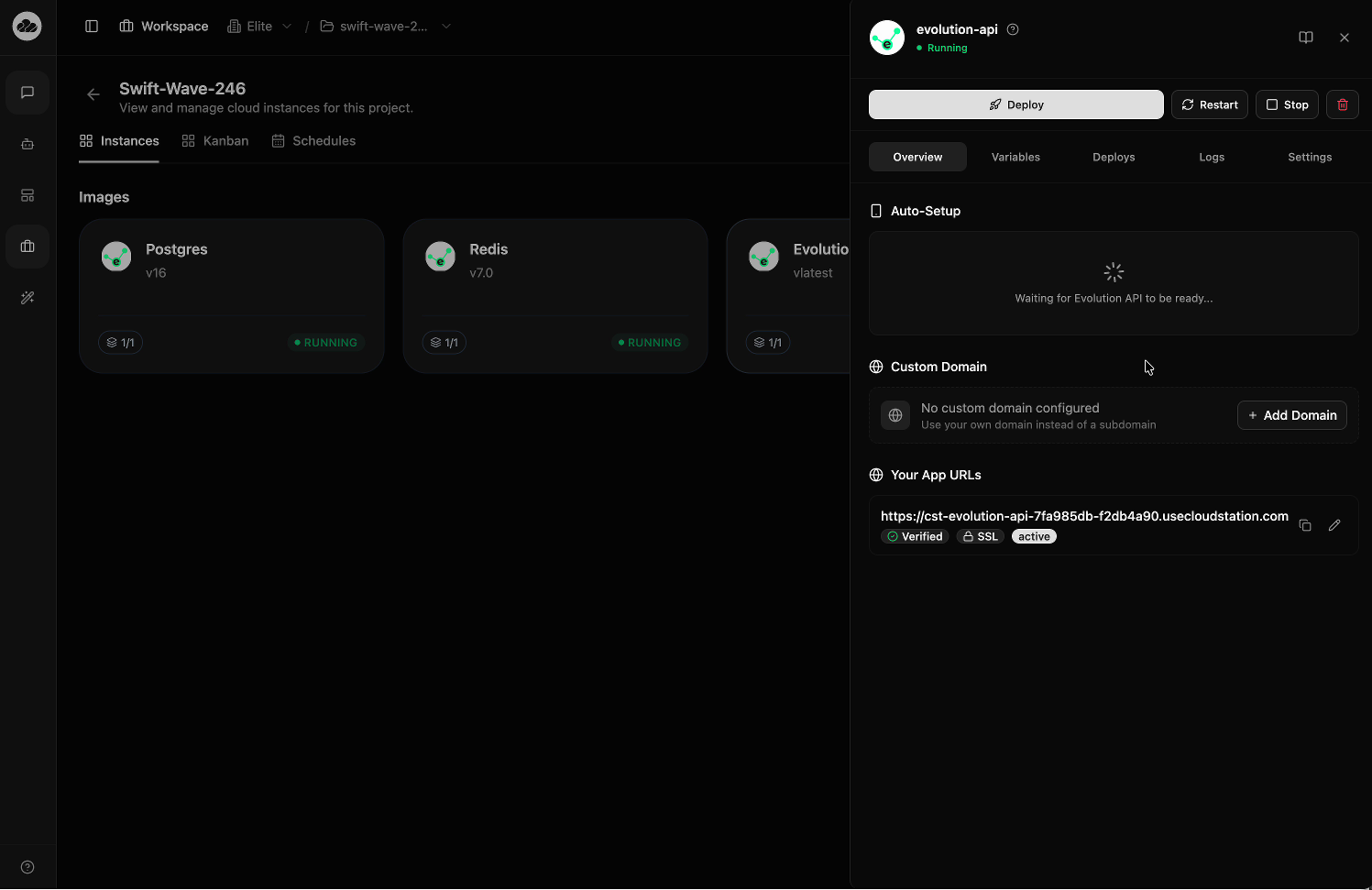
Click on the Evolution-Api instance card to open the detail panel. The Overview tab shows an Auto-Setup section at the top.
Initially, you'll see a loading spinner with the message: "Waiting for Evolution API to be ready..."
Scan the QR Code
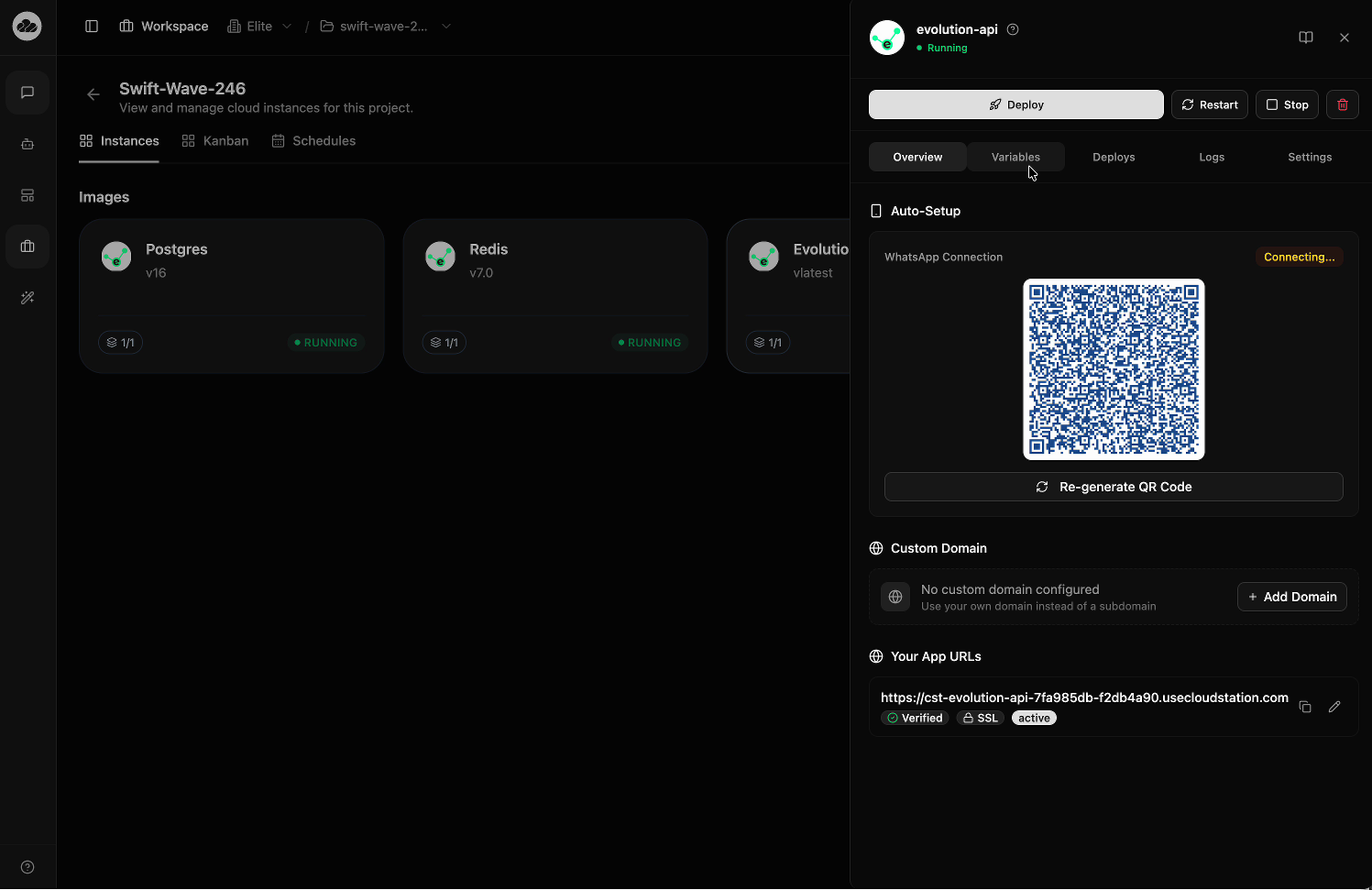
Once the Evolution API is fully ready, the Auto-Setup section displays a WhatsApp Connection panel with:
- A QR code to scan with your WhatsApp mobile app
- A "Connecting..." status indicator
- A Re-generate QR Code button if the code expires
Open WhatsApp on your phone, go to Linked Devices, and scan the QR code to connect.
The Auto-Setup feature is unique to the Evolution API template on CloudStation. It eliminates the manual API configuration typically required to create a WhatsApp instance, making it as simple as scanning a QR code.
Configuration
Key environment variables for Evolution API:
| Variable | Description |
|---|---|
AUTHENTICATION_API_KEY | API key for authenticating requests |
DATABASE_CONNECTION_URI | PostgreSQL connection string |
CORS_ORIGIN | Allowed CORS origins |
DATABASE_SAVE_DATA_... | Data persistence settings |
DATABASE_SAVE_MESSAGE_... | Message persistence settings |
DEL_INSTANCE | Instance deletion configuration |
LOG_BAILEYS | Baileys library logging level |
LOG_LEVEL | Logging verbosity (debug, info, warn, error) |
LOG_COLOR | Enable colored log output |
WEBHOOK_GLOBAL_ENABLED | Enable global webhook notifications |
WEBHOOK_EVENTS_MESSAGE_... | Message event webhook settings |
WEBHOOK_EVENTS_CONNECTION | Connection event webhook settings |
CACHE_REDIS_TTL | Redis cache time-to-live |
CONFIG_SESSION_PHONE_... | Phone session configuration |
DATABASE_PROVIDER | Database provider type |
This template is maintained by CloudStation and receives regular updates. Environment variables are pre-configured with sensible defaults — you only need to modify them for advanced customization.