

Agents API
Send messages to your project's AI agents from trusted backend tools, automations, bots, and custom applications over HTTP.
The Agents API lets external systems talk to your project's AI agents over HTTP. It is the same conversation layer used by Project Sessions, but designed for server-side integrations such as n8n, Zapier, Make, CRMs, internal tools, Telegram bots, WhatsApp bots, and custom applications.
Agents API credentials are secrets. Use the Agents API only from trusted backend code. Never put x-api-key, x-client-id, project IDs, or agent template IDs in browser JavaScript or public frontend environment variables. For public websites, use the Website Chat Widget instead.
Overview
A project's agents are callable from any app that can make an HTTP request. Send a message, and the API creates or continues a conversation, routes the message to the selected agent, and returns an accepted response with IDs you can use for tracing. The reply itself arrives asynchronously — by webhook, by streaming, or by polling.
How a Request Becomes a Reply
Every send follows the same lifecycle:
- Send —
POSTa message to a conversation. The API accepts it immediately and returns202with atask_idand aconversation_id. - Task runs — The message becomes a task. Its status moves through
queued,running, and eventuallycompleted,failed,canceled, ortimed_out. - Reply delivered — When the task finishes, the assistant's reply is delivered by webhook, streamed over SSE, or picked up on your next poll.
- Reconcile — If a reply or webhook delivery is ever missed, replay the event log from your last-seen event
idto catch up.
Quickstart
This is a complete round trip using the canonical endpoints: check auth, send a message, poll the resulting task, then read the conversation.
# 1. Confirm your credentials and see which project they belong to
curl -s 'https://charlie-back.cloud-station.io/v1/projects/PROJECT_ID/api/whoami' \
  -H 'x-api-key: YOUR_API_KEY' \
  -H 'x-client-id: YOUR_CLIENT_ID'
# 2. Send a message to a conversation (conversation_id is your own identifier)
curl -X POST 'https://charlie-back.cloud-station.io/v1/projects/PROJECT_ID/conversations/my-conversation-1/messages' \
-H 'Content-Type: application/json' \
-H 'x-api-key: YOUR_API_KEY' \
-H 'x-client-id: YOUR_CLIENT_ID' \
-d '{
"message": "Can you help me choose the right plan?"
}'# 3. Poll the task from the 202 response until it completes
curl -s 'https://charlie-back.cloud-station.io/v1/projects/PROJECT_ID/tasks/TASK_ID' \
-H 'x-api-key: YOUR_API_KEY' \
-H 'x-client-id: YOUR_CLIENT_ID'# 4. Read the conversation's messages since a given time
curl -s 'https://charlie-back.cloud-station.io/v1/projects/PROJECT_ID/conversations/my-conversation-1/messages?since_timestamp=1778669193000' \
-H 'x-api-key: YOUR_API_KEY' \
-H 'x-client-id: YOUR_CLIENT_ID'whoami response (200):
{
  "user_id": "42",
  "key_scope": "project",
  "project_id": "prj_6efcfced-a176-4e4c-a989-9767c16fddf7",
  "messaging_configured": true,
  "messaging_owner_is_caller": true,
  "caller_can_manage": true
}
The send (202) and messages read responses are shown in full below. The task poll response is documented in Tasks & Events.
Accessing API Credentials
API credentials are found in the Send Messages to Your Agents section inside Project Settings.
Open Project Settings
Navigate to your project and click the Settings icon to open the settings drawer.
Expand Send Messages to Your Agents
Click the Send Messages to Your Agents collapsible section to view Your Project URL and connection instructions.
Copy the project URL
Use the copy button next to the project URL. The URL contains your project ID.
Authentication
Every request authenticates with two headers:
{
  "Content-Type": "application/json",
  "x-api-key": "YOUR_API_KEY",
  "x-client-id": "YOUR_CLIENT_ID"
}x-api-keyis your API key.x-client-idis the client ID paired with that key.- Keys are either project-scoped (access only the assigned project) or user-scoped (access any project the user can access).
The first thing to call when you see a 403 or 409 is whoami:
GET /v1/projects/{project_id}/api/whoami{
"user_id": "42",
"key_scope": "project",
"project_id": "prj_6efcfced-a176-4e4c-a989-9767c16fddf7",
"messaging_configured": true,
"messaging_owner_is_caller": true,
"caller_can_manage": true
}key_scope is "project" or "user". Confirm project_id matches the project you intended to call, and that messaging_configured is true.
Getting Your API Key
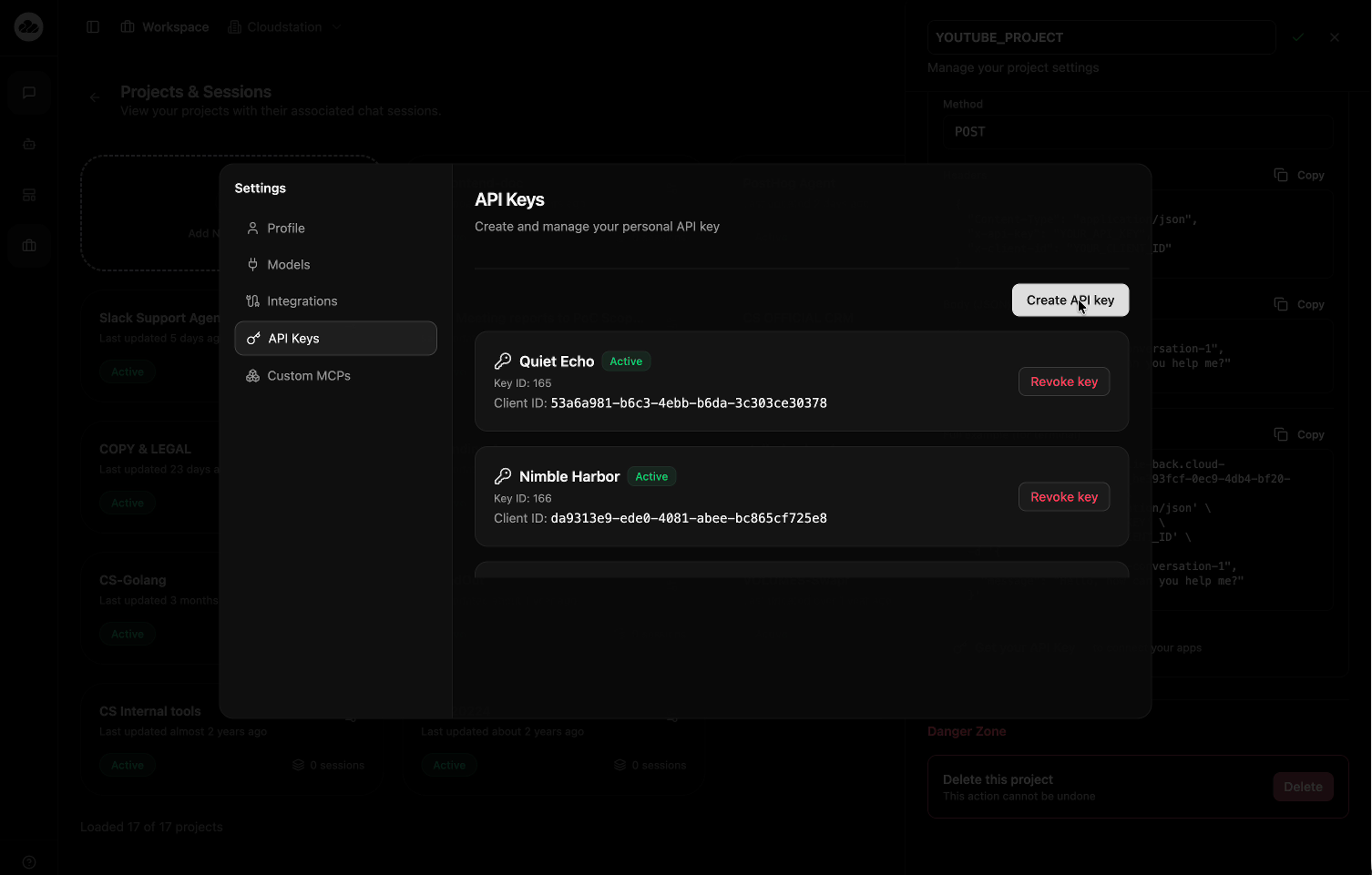
Open Settings
Click Get your API Key in the Send Messages to Your Agents section, or open Settings from the sidebar.
Go to API Keys
Select the API Keys tab. The page title shows "Create and manage your personal API key".
Create an API Key
Click Create API key. Each key gets an auto-generated name such as "Quiet Echo" or "Nimble Harbor".
Copy credentials
Copy both the API Key and Client ID. The API key is shown only once. You need both values in Agents API requests.
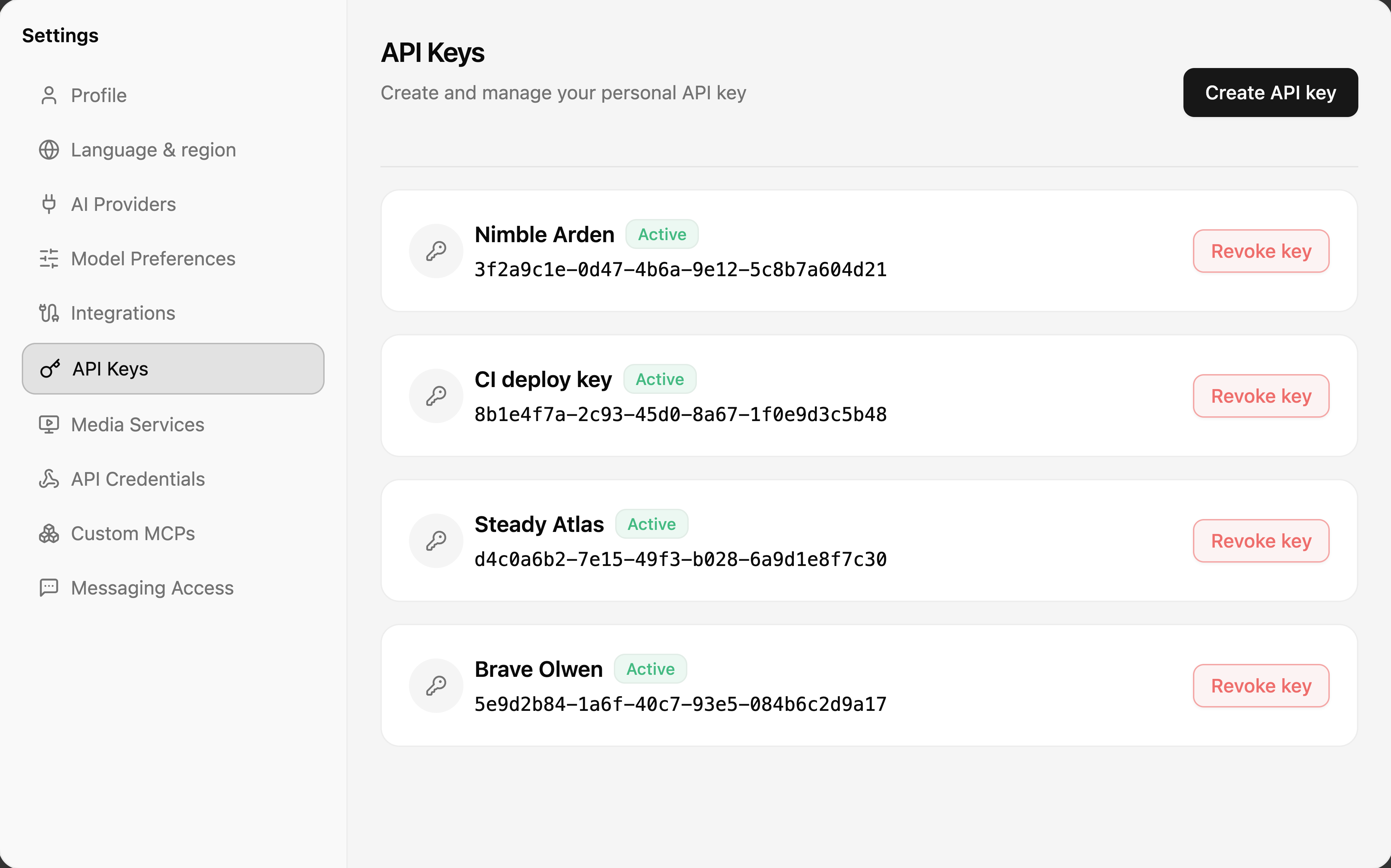
API keys show an "Active" badge when valid. Revoke keys you no longer use.
Sending a Message
Endpoint
POST /v1/projects/{project_id}/conversations/{conversation_id}/messagesconversation_id in the path is your own identifier — a Telegram chat ID, a CRM ticket ID, or any other stable string. The first use of a given conversation_id creates the conversation; reusing it continues the same conversation with full prior context.
Host: https://charlie-back.cloud-station.io is the production host for this API. (https://api.cloud-station.io is a different service — the deployment orchestrator API — and does not serve these endpoints.)
Request body
{
  "message": "Can you help me choose the right plan?",
  "platform": "telegram",
  "agent_template_id": "support-agent",
  "sender": {
    "id": "123456789",
    "name": "Jane Customer"
  },
  "metadata": {
    "source": "telegram",
    "chat_type": "private"
  },
  "response_webhook": "https://your-bot.example.com/cloudstation-webhook",
  "external_message_id": "telegram:123456789:42",
  "content_blocks": []
}| Field | Required | Description |
|---|---|---|
message | Yes | Text content to send to the agent. |
platform | No | Source label such as telegram, whatsapp, n8n, or your app name. Default: "api". |
agent_template_id | No | Agent template UUID, template name, or display name. Omit to use the default Charlie agent. An unknown value returns 400. |
sender.id | No | External user ID, chat ID, phone number, or customer ID. |
sender.name | No | External user's display name. |
metadata | No | Free-form JSON object stored with the request. |
response_webhook | No | HTTPS URL called with the assistant's reply when ready. See Agents API Webhooks. |
external_message_id | No | External platform message ID, also usable as an implicit idempotency key. Max 255 characters. |
content_blocks | No | Array of base64 image / document / text blocks — see Media below. |
Response (202 Accepted)
{
  "status": "accepted",
  "adw_id": "abc12345",
  "conversation_id": "telegram-123456789",
  "conversation_uuid": "3fa85f64-5717-4562-b3fc-2c963f66afa6",
  "message_id": "3fa85f64-5717-4562-b3fc-2c963f66afa6",
  "task_id": "b3f1c9a2-4e5d-4f6a-8b7c-9d0e1f2a3b4c"
}adw_id: opaque thread reference string. Treat it as an ID for tracing/logs.message_idis deprecated. It mirrorsconversation_uuidand is kept only for backward compatibility — do not treat it as the primary identifier.task_id: identifies the task created for this send.- The reply itself is asynchronous — it is not in this response.
Legacy send endpoint
POST /v1/projects/{project_id}/api/messageThis endpoint remains supported. It uses the same body shape, except conversation_id is a body field instead of a path segment. New integrations should use the canonical path-based endpoint above.
Media and Files with content_blocks
Send a normal text message plus one or more content_blocks for photos, documents, and extra text context.
Image block:
{
  "type": "image",
  "source": {
    "type": "base64",
    "media_type": "image/jpeg",
    "data": "BASE64_DATA_WITHOUT_DATA_URL_PREFIX"
  }
}
Document block:
{
  "type": "document",
  "source": {
    "type": "base64",
    "media_type": "application/pdf",
    "data": "BASE64_DATA_WITHOUT_DATA_URL_PREFIX",
    "filename": "invoice.pdf"
  }
}
Text block:
{
  "type": "text",
  "text": "Additional text context"
}
The Telegram and WhatsApp bot boilerplates keep files over 20 MB as text-only descriptions instead of embedding huge base64 payloads. Follow the same pattern for reliable bot integrations.
Reading a Conversation
Poll for new messages
GET /v1/projects/{project_id}/conversations/{conversation_id}/messages?since_timestamp=1778669193000Returns new messages since the given Unix timestamp in milliseconds:
{
  "thread_id": "abc12345",
  "outputs": [
    {
      "id": "e7b09ac7-1ec4-44b8-9c11-ffbc8f13d83b",
      "content": "Yes — here is how pricing works...",
      "sender_type": "agent",
      "sender_name": "Charlie",
      "event_category": "response",
      "event_type": "assistant",
      "display_category": "assistant",
      "timestamp": 1783407290000,
      "created_at": "2026-07-07T06:54:51Z"
    }
  ],
  "total": 1,
  "has_more": false
}
Filter on display_category: "assistant" for user-facing replies; other rows (tool activity, system events) may appear in the list.
Stream messages over SSE
GET /v1/projects/{project_id}/conversations/{conversation_id}/messages/streamEmits an initial connected event carrying a snapshot of the conversation, then one message frame per new message, plus a heartbeat event every 20 seconds. Lifecycle frames (run.started, tool.started, tool.finished, run.ended, compaction, task.waiting_input) are sent before the message frame they come from. Pass ?since_id= or ?since_timestamp= to replay what you missed on reconnect:
event: connected
data: {"event_type":"connected","timestamp":1783407429,"snapshot":{"agent_status":"completed","open_task_ids":[],"last_output_id":"e7b09ac7-...","last_output_timestamp":1783407290000,"replayed":0}}

event: message
data: {"event_type":"message","data":{"id":"e7b09ac7-...","content":"Yes — here is how pricing works...","sender_type":"agent","event_type":"assistant","display_category":"assistant","timestamp":1783407290000},"timestamp":1783407290000}
Use this for live UIs; use webhooks for server-to-server delivery.
Usage
GET /v1/projects/{project_id}/conversations/{conversation_id}/usage{
"conversation_uuid": "3fa85f64-5717-4562-b3fc-2c963f66afa6",
"agents_counted": 1,
"input_tokens": 1520,
"output_tokens": 384,
"total_cost_usd": 0.0142
}Code Examples
const apiUrl = process.env.CLOUDSTATION_API_URL ?? 'https://charlie-back.cloud-station.io';
const projectId = process.env.CLOUDSTATION_PROJECT_ID;
const conversationId = 'customer-42';

const response = await fetch(`${apiUrl}/v1/projects/${projectId}/conversations/${conversationId}/messages`, {
  method: 'POST',
  headers: {
    'Content-Type': 'application/json',
    'x-api-key': process.env.CLOUDSTATION_API_KEY,
    'x-client-id': process.env.CLOUDSTATION_CLIENT_ID,
  },
  body: JSON.stringify({
    message: 'Hello, can you help me?',
    platform: 'my-backend',
    sender: {
      id: 'customer-42',
      name: 'Jane Customer',
    },
  }),
});

if (!response.ok) {
  throw new Error(`Agents API failed: ${response.status} ${await response.text()}`);
}

const data = await response.json();
console.log(data.task_id);
import os
import requests
api_url = os.getenv('CLOUDSTATION_API_URL', 'https://charlie-back.cloud-station.io')
project_id = os.environ['CLOUDSTATION_PROJECT_ID']
conversation_id = 'customer-42'
response = requests.post(
f'{api_url}/v1/projects/{project_id}/conversations/{conversation_id}/messages',
headers={
'Content-Type': 'application/json',
'x-api-key': os.environ['CLOUDSTATION_API_KEY'],
'x-client-id': os.environ['CLOUDSTATION_CLIENT_ID'],
},
json={
'message': 'Hello, can you help me?',
'platform': 'my-backend',
'sender': {
'id': 'customer-42',
'name': 'Jane Customer',
},
},
timeout=30,
)
response.raise_for_status()
print(response.json()['task_id'])Errors
| Status | Meaning | Notes |
|---|---|---|
400 | Invalid request body, an unknown agent_template_id, or an Idempotency-Key over 255 characters | Check required fields, the template, and key length. |
401 | "Missing x-api-key header" or "Missing x-client-id header" | The header is absent entirely. |
401 | "API key not found" | The x-client-id is unknown. |
401 | "Invalid API key or client ID" | The key/client pair does not match — regenerate both halves together. |
403 | "not authorized for this project" or "Project access denied" | The caller is neither the project's messaging owner nor a team admin, or a project-scoped key was used on another project. Call whoami to confirm project_id, key_scope, and caller_can_manage. |
404 | Conversation or task not found | Confirm the project_id, conversation_id, or task_id. |
409 | "project messaging not configured" | Enable messaging in project settings. |
409 | Idempotency key request still in flight | Wait for the original request to finish, then retry with the same key. |
409 | Cancel called on an already-finished task | No action needed; the task is already done. |
429 | Rate limited | Honor Retry-After. |
5xx | Temporary server issue | Retry with backoff. |